AVG Cleaner is available as both a free and paid product. The paid version requires a subscription to use. This article contains instructions to install the free version of the app and optionally activate an existing subscription, or purchase AVG Cleaner.
Install AVG Cleaner
- On your Android device, tap the button below to open the AVG Cleaner for Android app page in Google Play Store. Go to Google Play Store
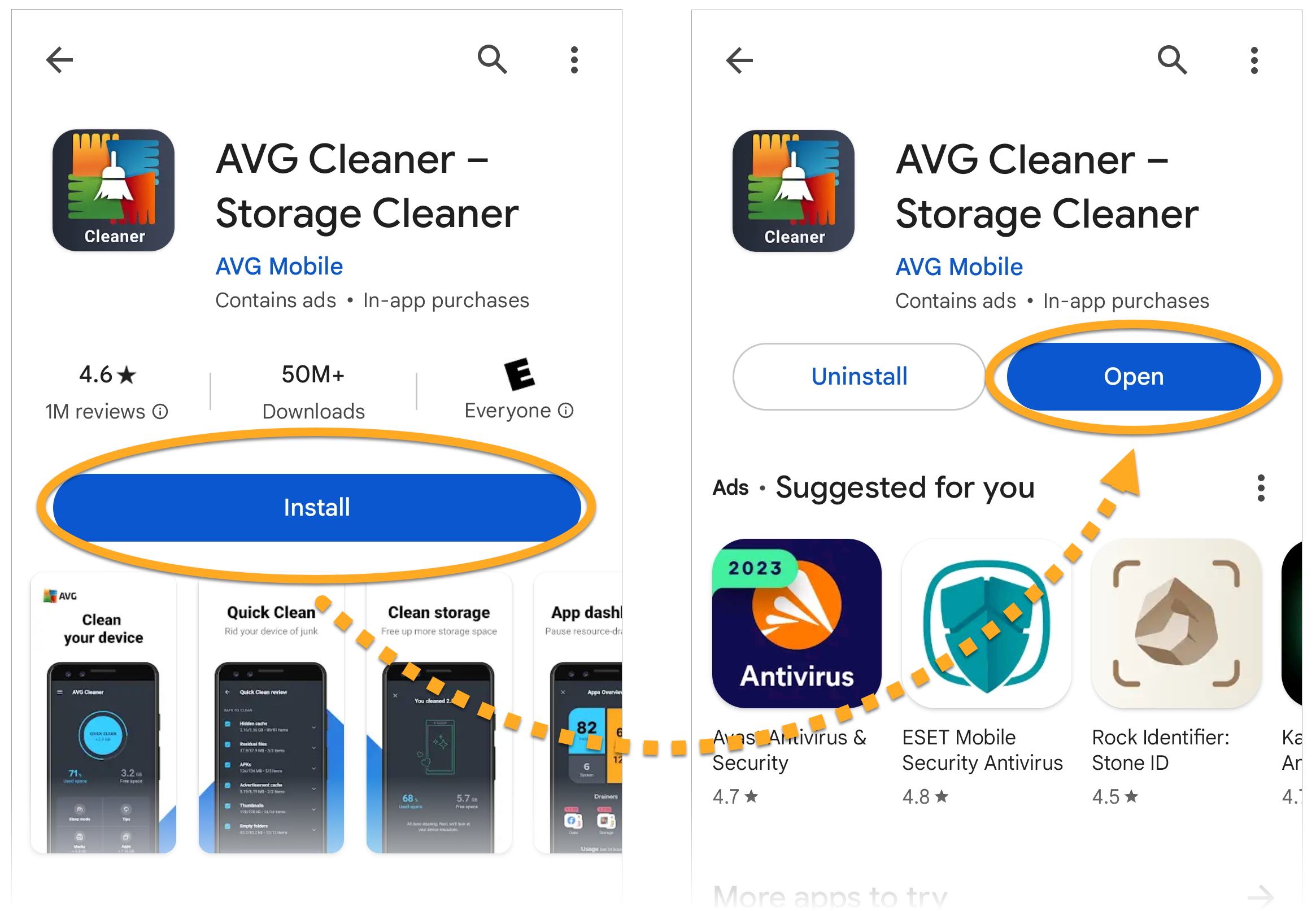
- Tap Install to download and install the app. When installation is complete, tap Open.

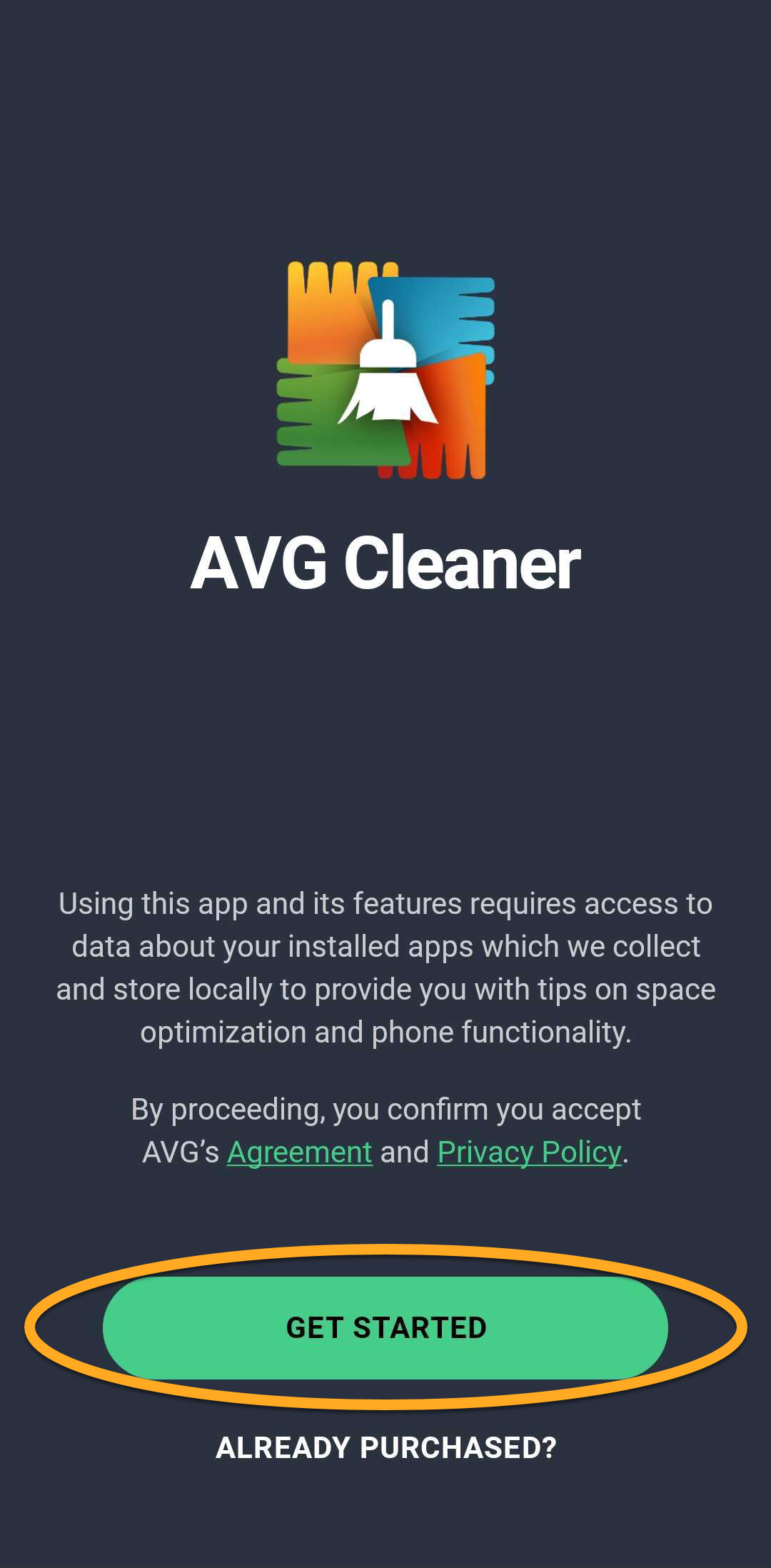
- Tap Get started.
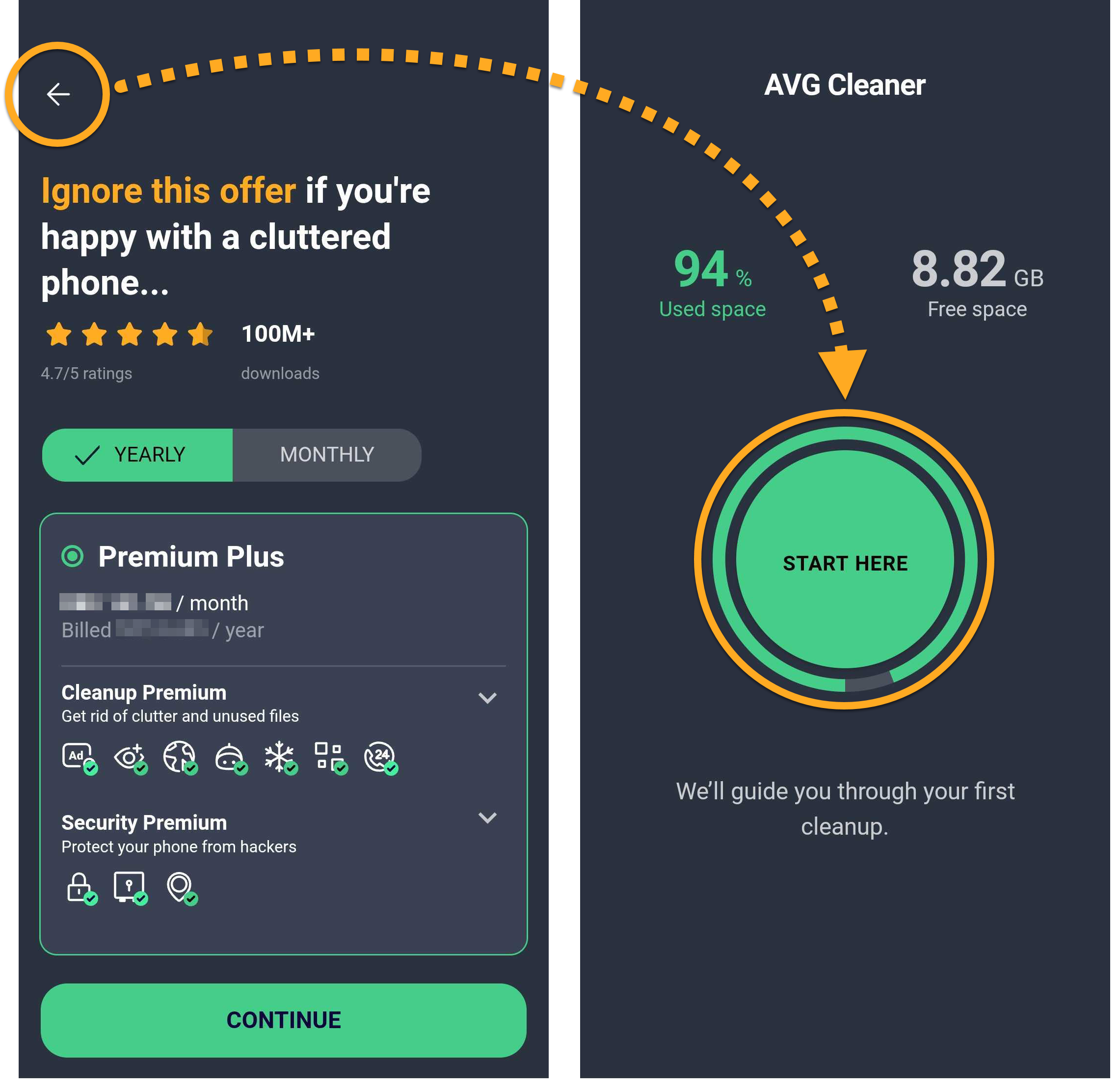
- Go through the onboarding screens. Then tap the back arrow in the top-left corner to exit the purchase screen, and tap Start here.
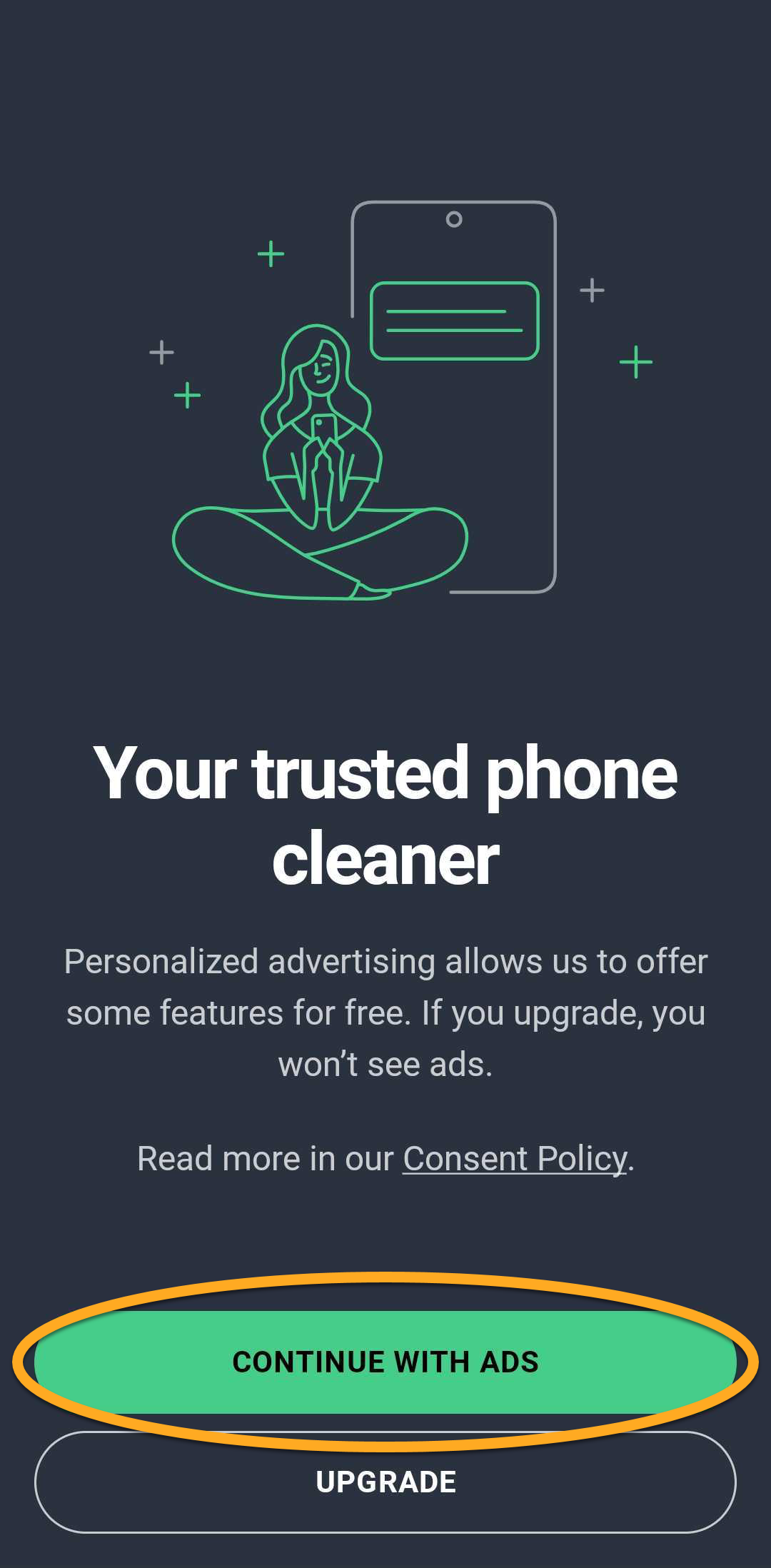
- Follow the on-screen instructions to grant the required permissions and complete the initial scan. Then tap Continue with ads to open the app dashboard.
AVG Cleaner is now installed on your device.
Upgrade to AVG Cleaner Premium
You can purchase an AVG Cleaner Premium subscription by tapping Upgrade in the top-right corner of the main app screen. Follow the on-screen instructions to complete the upgrade via Google Play Store.
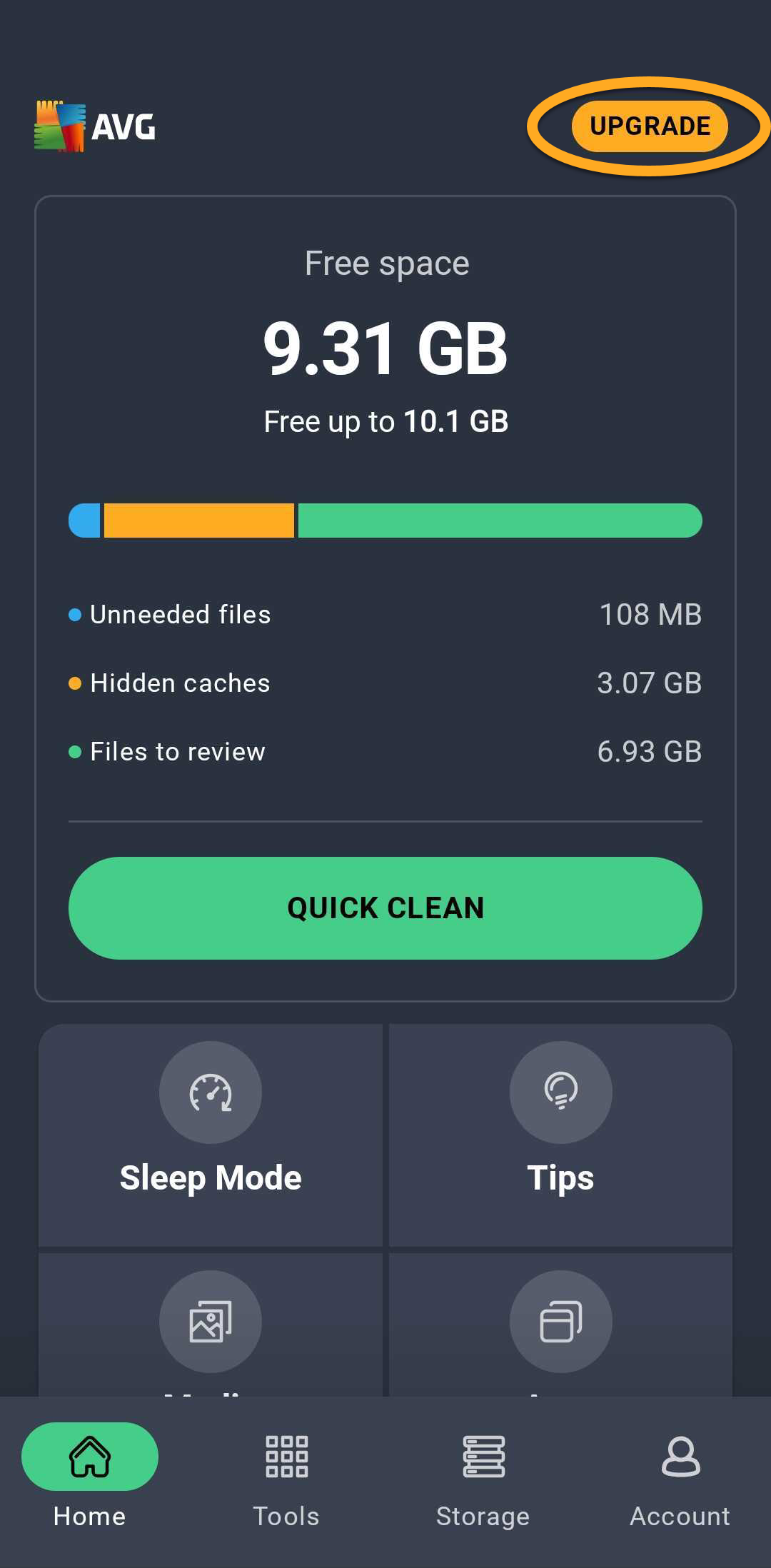
Your paid subscription activates automatically. If you already subscribed to AVG Cleaner Premium via another sales channel, you need to manually activate your app. For detailed activation instructions, refer to the following article:
Still need help?
If you experience any installation issues:
- Ensure your Android device meets the minimum system requirements and your operating system is up to date. For information about the requirements for your device, refer to the following article:
- Restart your device and try to install AVG Cleaner again by following the instructions in this article.
Install AVG Cleaner
- On your Android device, tap the button below to open the AVG Cleaner for Android app page in Google Play Store. Go to Google Play Store
- Tap Install to download and install the app. When installation is complete, tap Open.
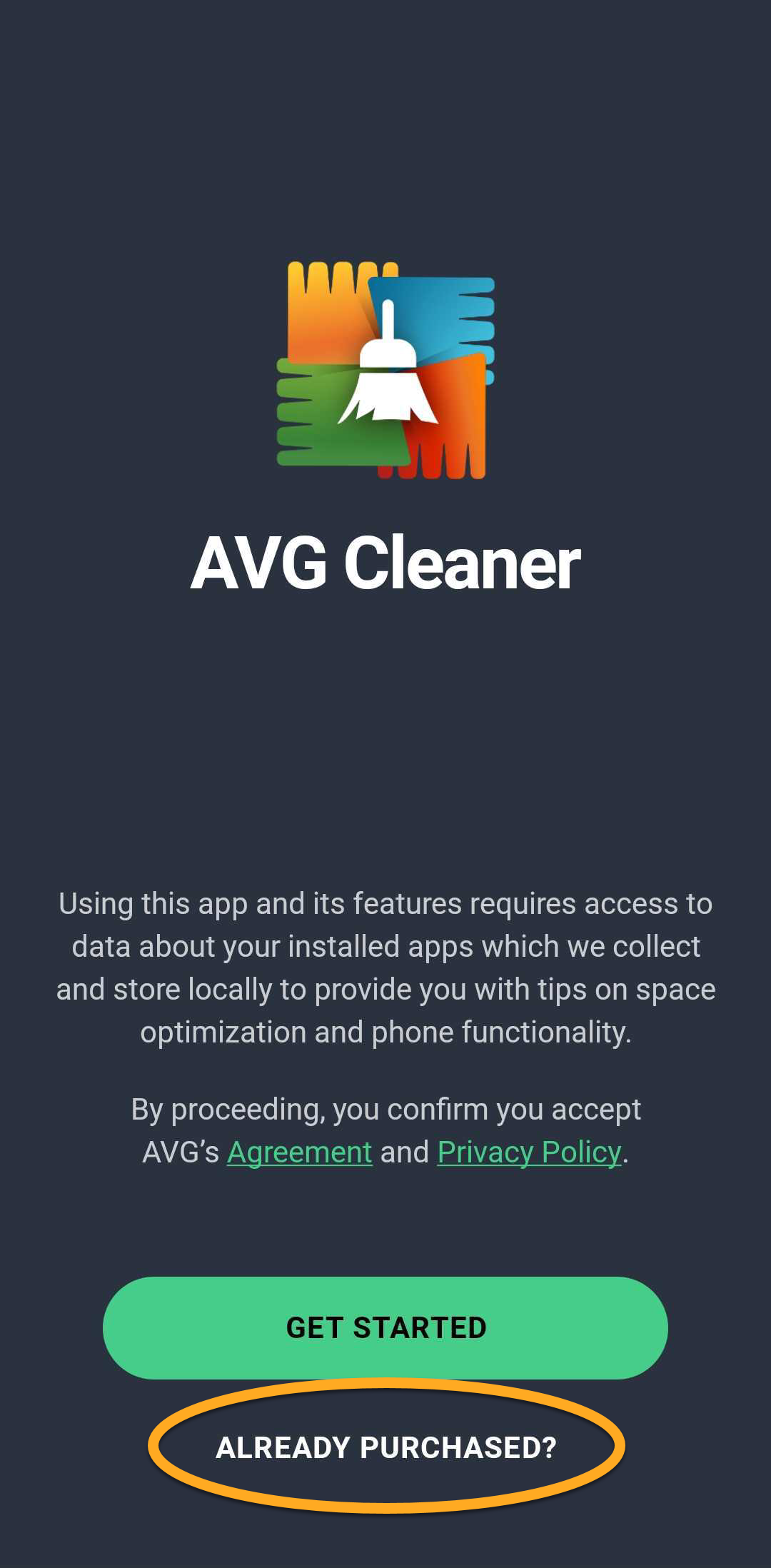
- Tap Already purchased?.
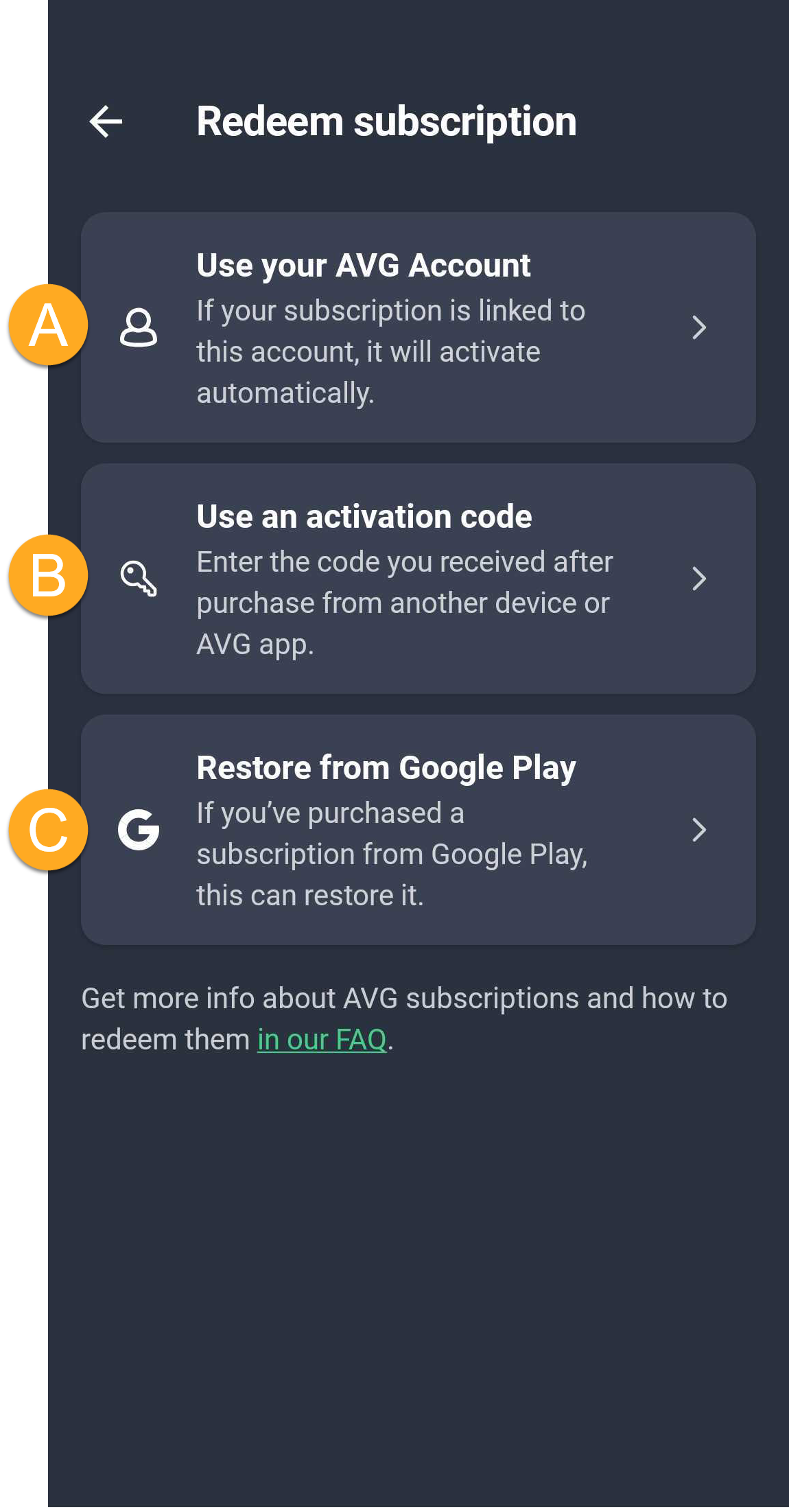
- Select the relevant option to activate the app with your paid subscription:
- Use your AVG Account: Connect your subscription using your AVG Account credentials.
- Use an activation code: Enter the activation code for AVG Cleaner.
- Restore from Google Play: If you subscribed to AVG Cleaner through Google Play, you can follow the on screen instructions to restore your subscription. Ensure you are signed in to the Google Play Store with the same Google Account that you used to subscribe to AVG Cleaner.
For detailed activation instructions, refer to the article: Activating AVG Cleaner Premium on Android.
AVG Cleaner Premium is now installed on your device.
Still need help?
If you experience any installation issues:
- Ensure your Android device meets the minimum system requirements and your operating system is up to date. For information about the requirements for your device, refer to the following article:
- Restart your device and try to install AVG Cleaner again by following the instructions in this article.
If you experience an issue with activation, refer to the following articles:
Further recommendations
For more information about features available in AVG Cleaner, refer to the following articles:
- AVG Cleaner
- AVG Cleaner Premium
- Android