To uninstall AVG Mobile Security from iOS, refer to the steps below:
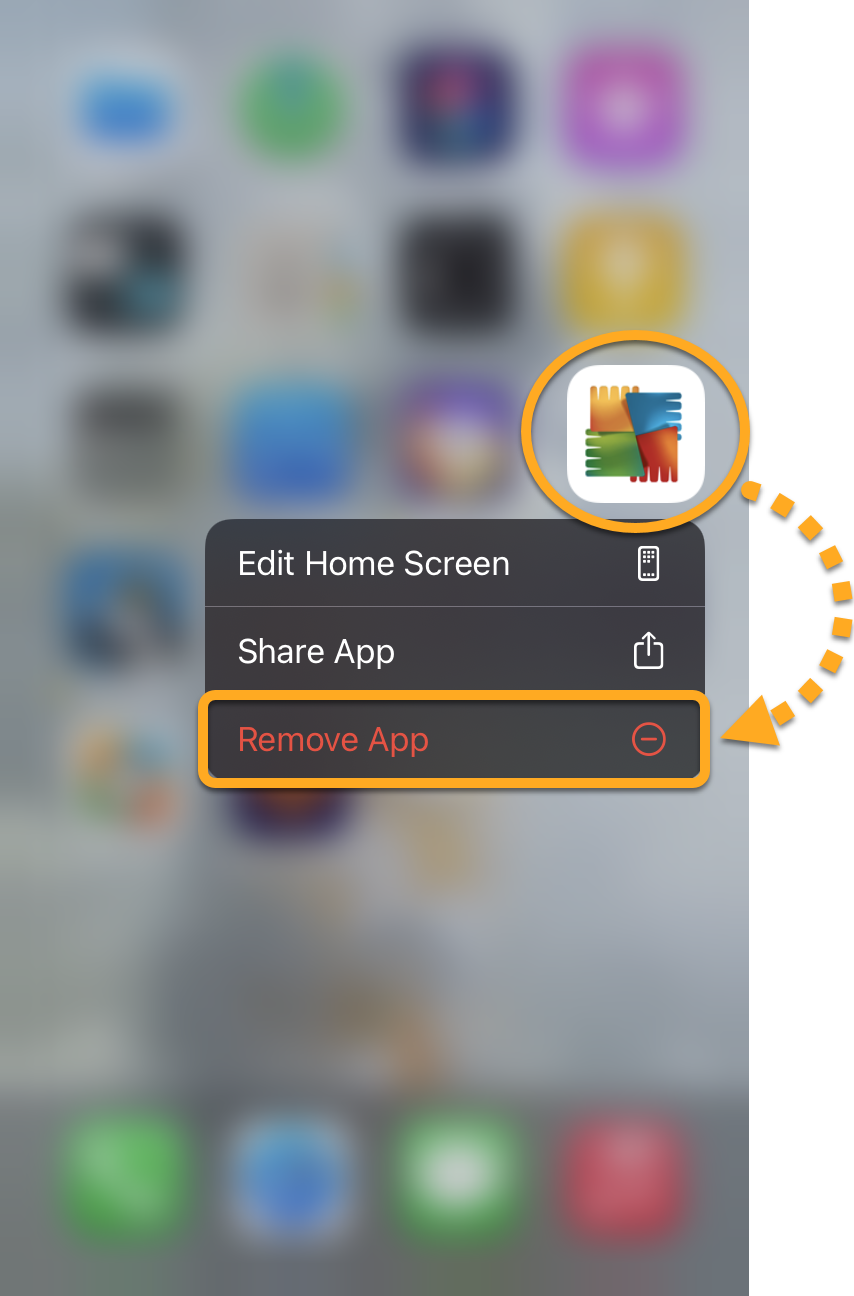
- On the Home screen of your device, touch and hold the AVG Mobile Security icon.
- Select Remove App from the menu that appears.

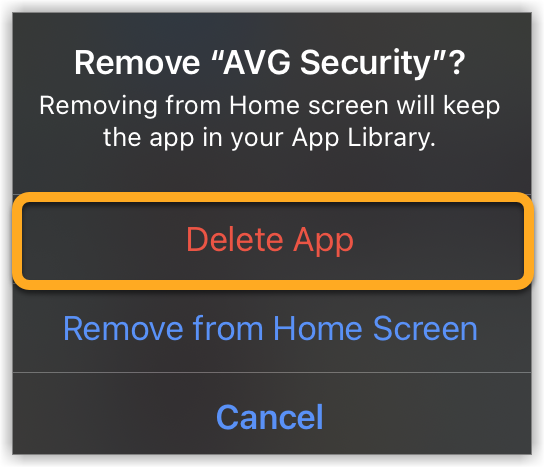
- Select Delete App to remove AVG Mobile Security and all of your app data.
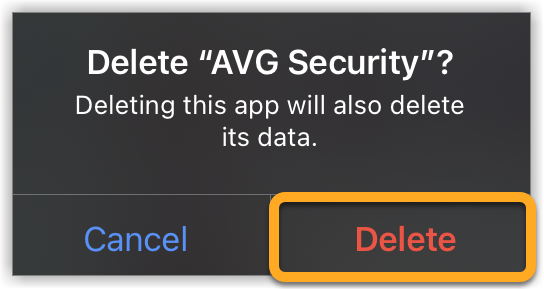
- Select Delete to confirm uninstallation.
AVG Mobile Security is now uninstalled from your iOS device.
If you need to reinstall AVG Mobile Security, refer to the following article:
If you have a paid version of AVG Mobile Security, removing the app from your device does not automatically cancel your subscription. For information about canceling an AVG subscription, refer to the following article:
- AVG Mobile Security
- iOS