AVG Mobile Security is available as both a free and paid app. To use the paid features included in an AVG Mobile Security subscription, you may need to activate the app.
If you purchased your subscription through the App Store, the subscription is automatically applied to the device used to make the purchase. If you reinstall AVG Mobile Security or switch to a new device, you can restore the subscription via the App Store.
If you purchased your subscription through another AVG sales channel, such as the official AVG website, you need to sign in to the AVG Account that contains your subscription.
This article applies to both AVG Mobile Security Premium and AVG Mobile Security Ultimate for iOS.
Sign in to AVG Account
To activate AVG Mobile Security using your AVG Account:
- Tap the AVG Mobile Security icon on your device. The app opens.

- Tap Account, then select
⋮Menu (The three dots) under Subscriptions.
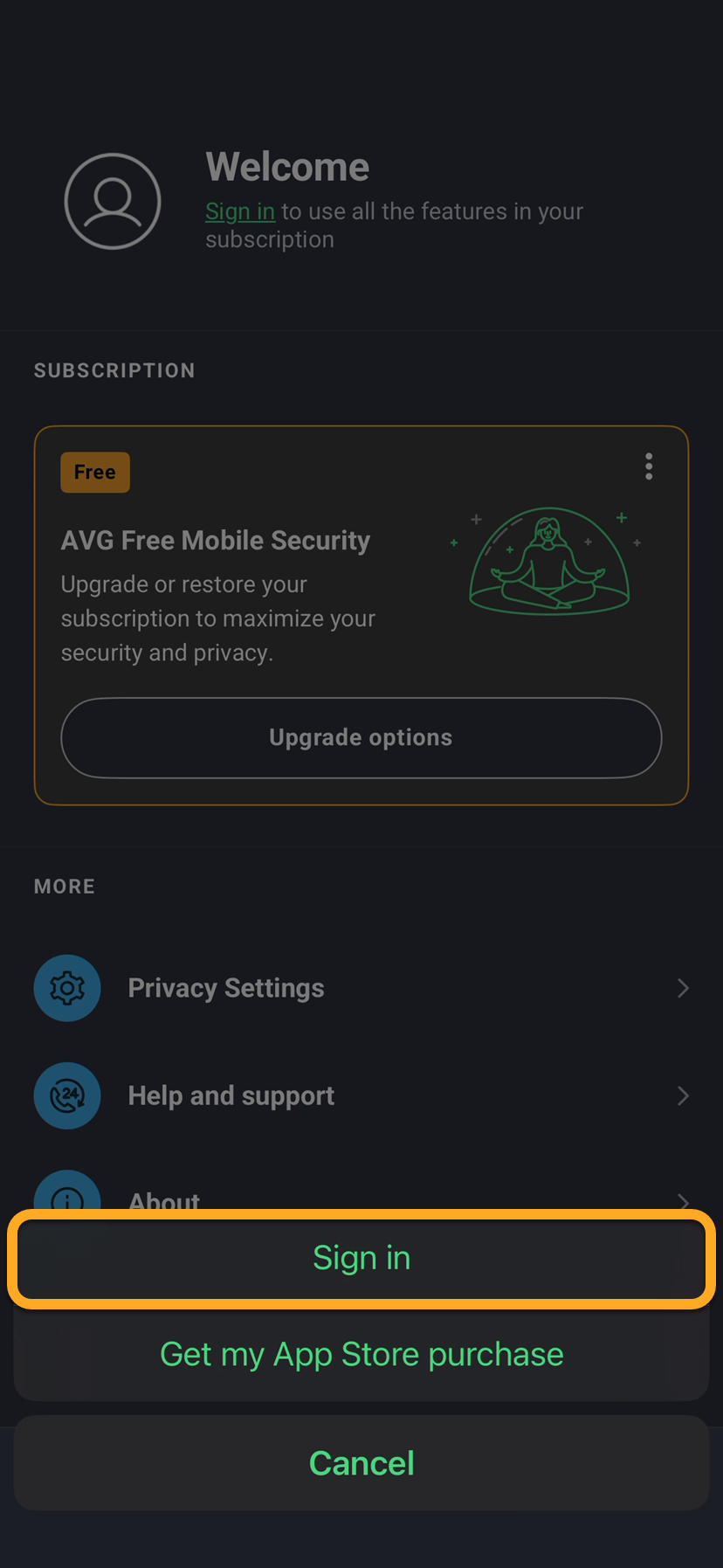
- Select Sign in.
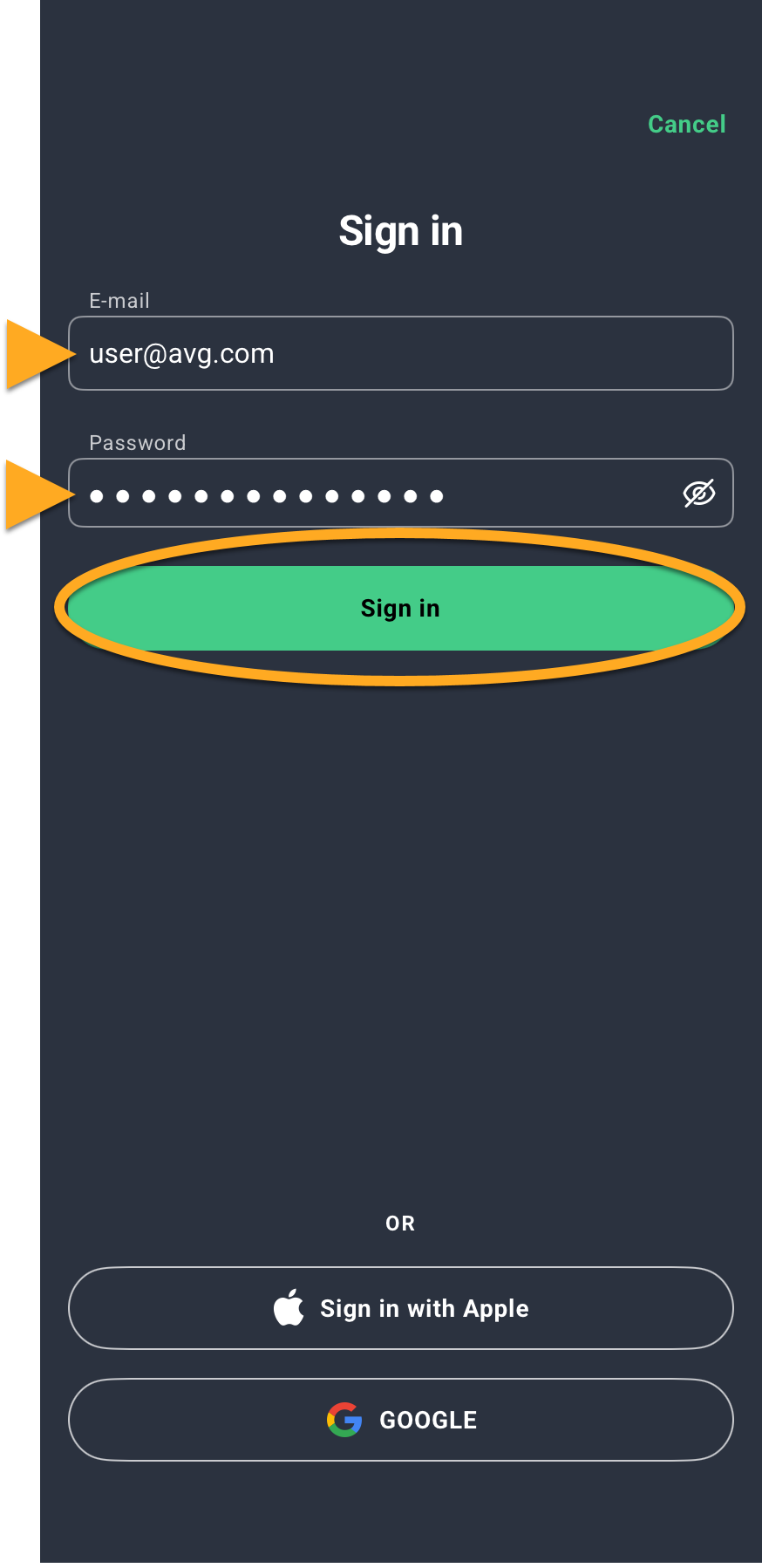
- Enter your AVG Account credentials, then tap Sign in.

 Account, then select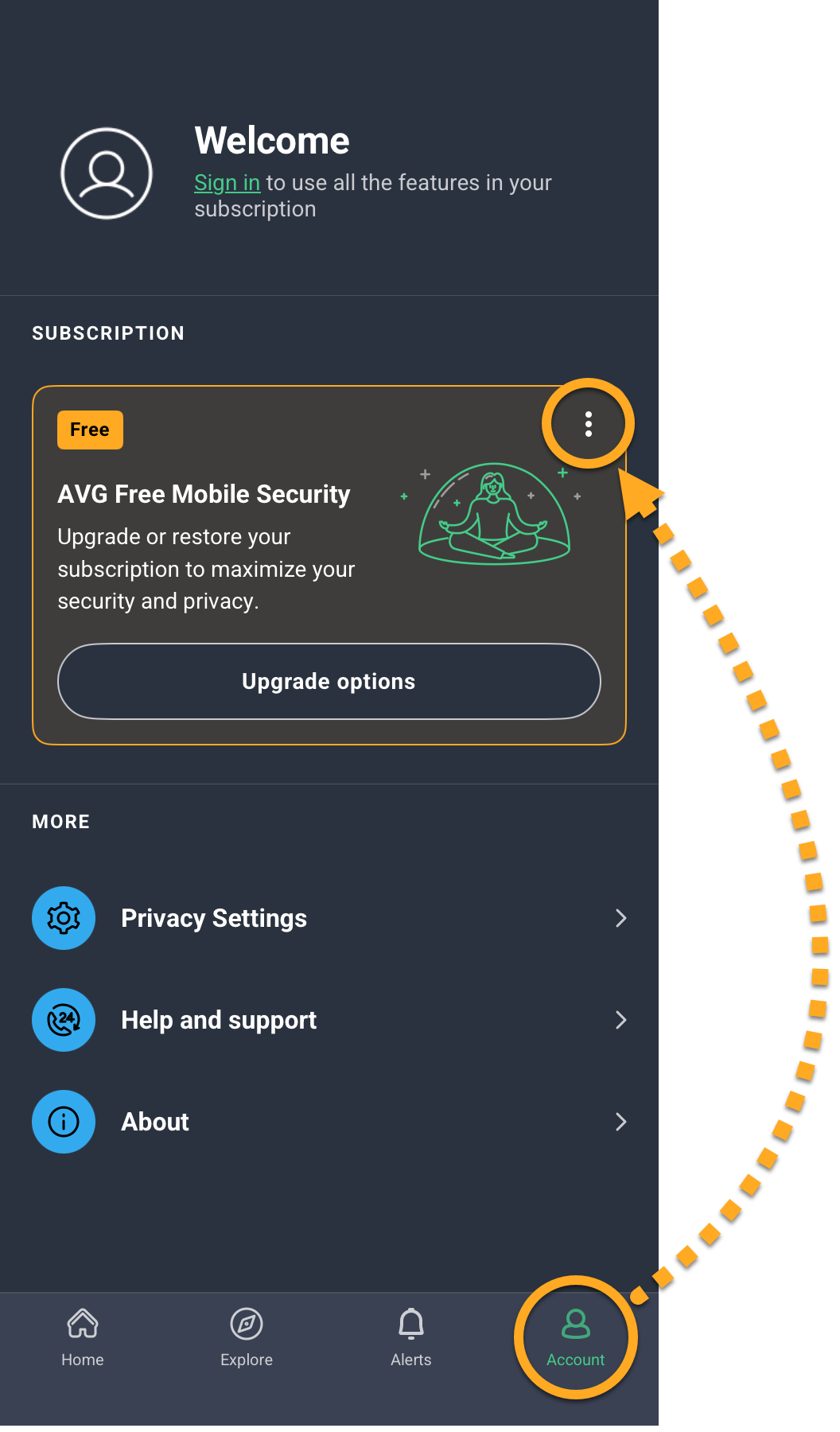
AVG Mobile Security is now activated. If activation is unsuccessful, refer to the Still need help? section below.
Still need help?
If you experience any activation issues, check that your AVG Account is registered to the email address that you used to purchase AVG Mobile Security. If you used a different email address for purchase, you can add this email address to your AVG Account. For detailed instructions, refer to the following article:
If your issues persist, refer to the following articles:
- Troubleshooting activation issues in AVG mobile apps
- Troubleshooting activation issues in AVG apps
- Troubleshooting common activation error messages
If you are still unable to activate your application, contact AVG Support.
Restore via App Store
If you want to start using your subscription on a new device, or if you reset your existing device, you can restore your AVG Mobile Security subscription via the App Store:
- Ensure you are signed in to the App Store with the same Apple ID that you used to purchase AVG Mobile Security. For instructions on how to verify this, refer to the following article:
- Tap the AVG Mobile Security icon on your device. The app opens.
- Tap Account, then select
⋮Menu (The three dots) under Subscriptions.
- Select Get my App Store purchase.
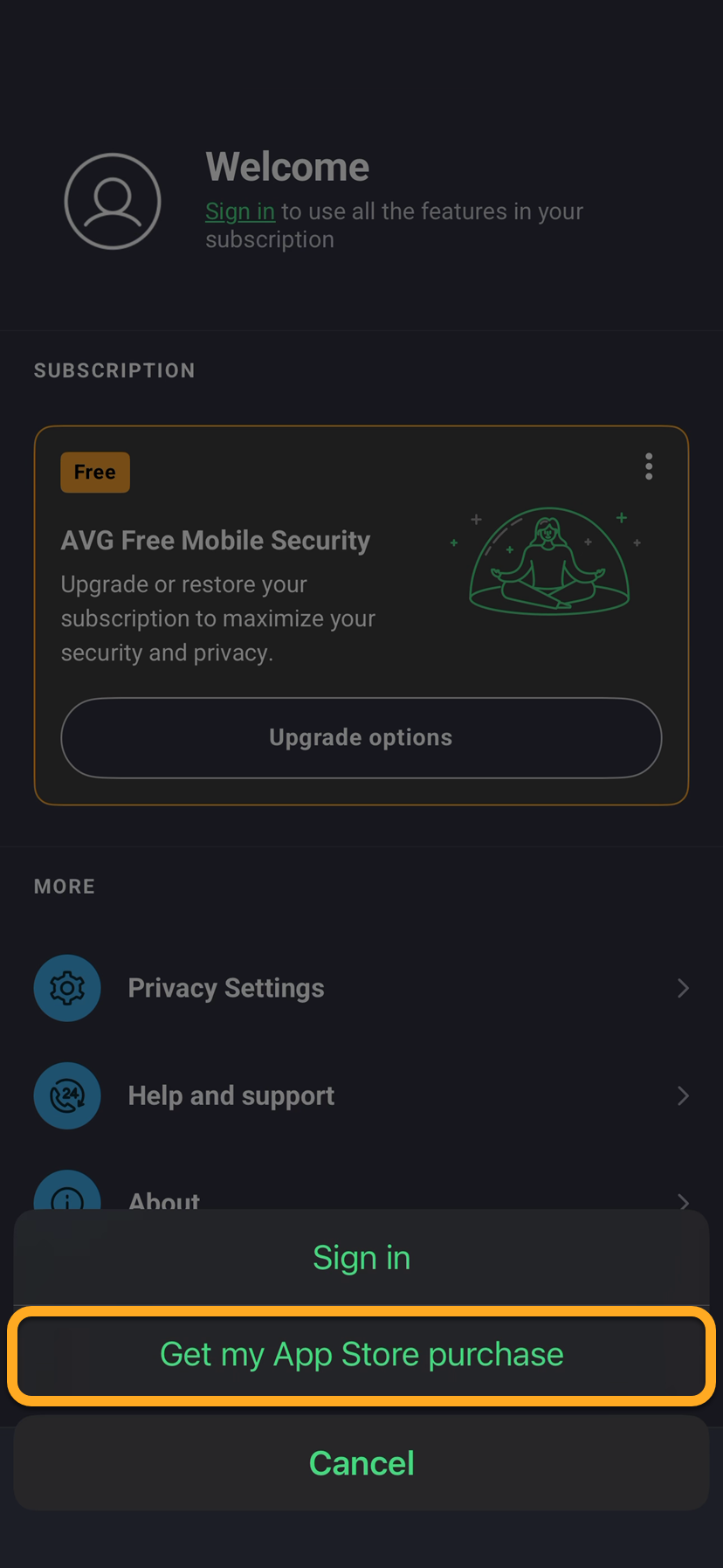
AVG Mobile Security is now activated. If activation is unsuccessful, refer to the Still need help? section below.
Still need help?
If you experience any activation issues, refer to the following articles:
- Troubleshooting activation issues in AVG mobile apps
- Troubleshooting activation issues in AVG apps
- Troubleshooting common activation error messages
If you are still unable to activate your application, contact AVG Support.
Further recommendations
To learn more about AVG Mobile Security, refer to the following articles:
- AVG Mobile Security
- iOS