AVG AntiTrack is a paid app that requires a subscription to use. After installing AVG AntiTrack, you may need to manually activate your application.
AVG AntiTrack is a paid app that requires a subscription to use. After installing AVG AntiTrack, you may need to manually activate your application.
Activate AVG AntiTrack
To activate an existing subscription directly after installation:
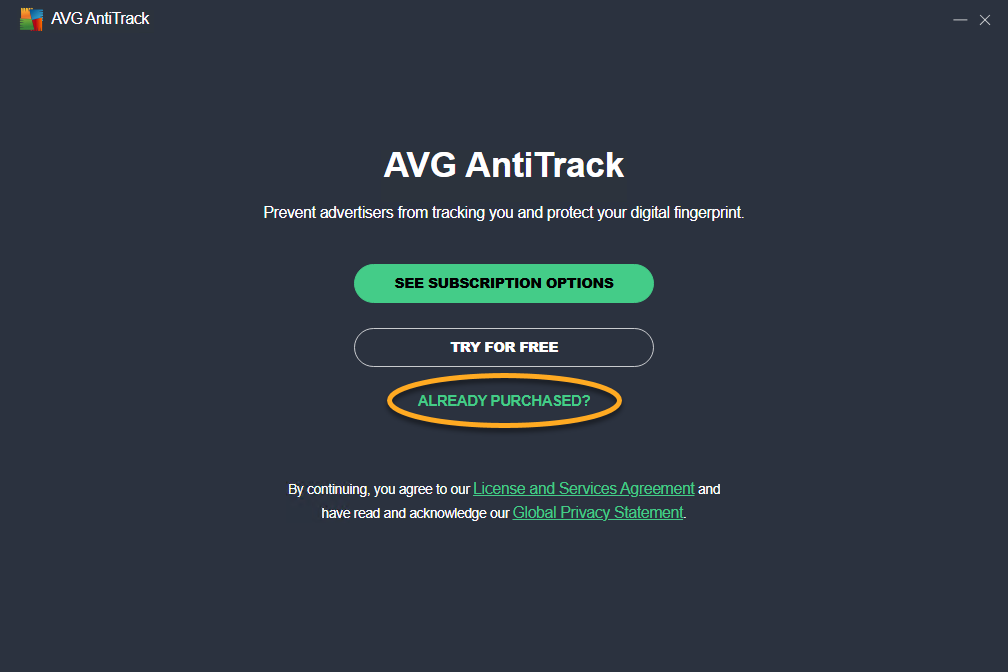
- Open AVG AntiTrack and select Already purchased?.

- Type or paste your activation code (including hyphens), and click Activate.
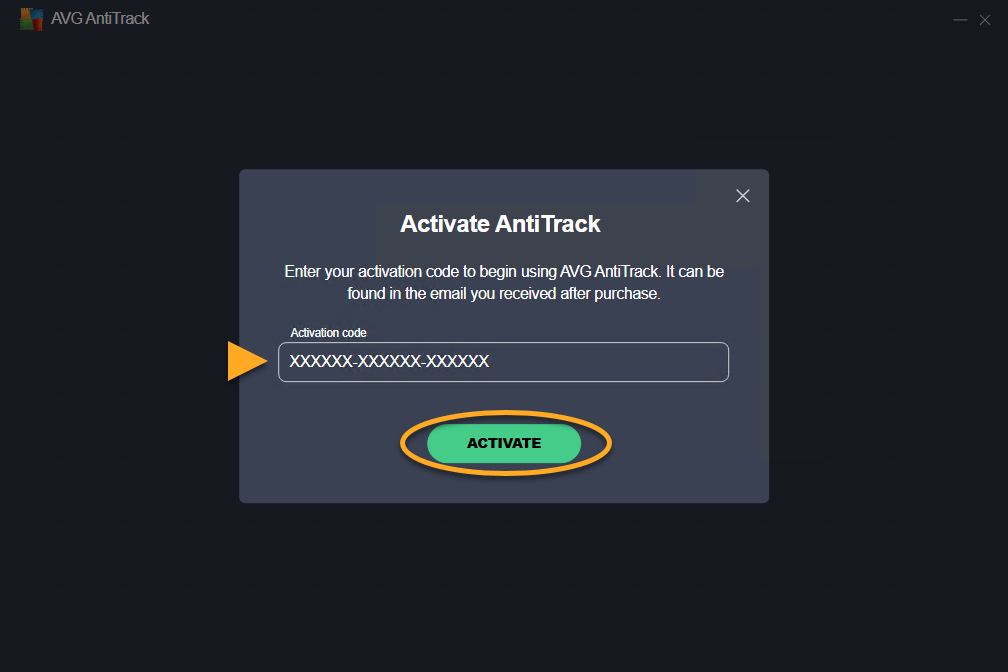
Your AVG AntiTrack subscription is now active and you are prompted to add AVG AntiTrack browser extensions.
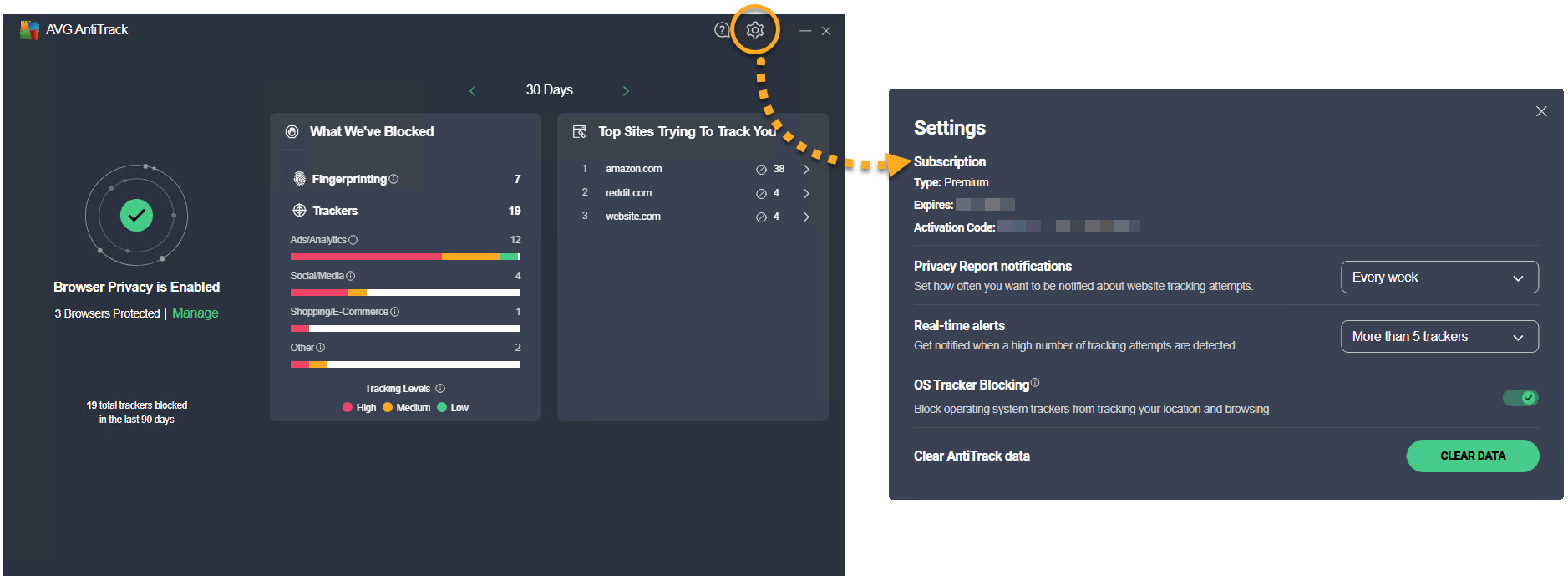
You can check your subscription details at any time via  Settings (the gear icon) ▸ Subscription.
To activate an existing subscription directly after installation:
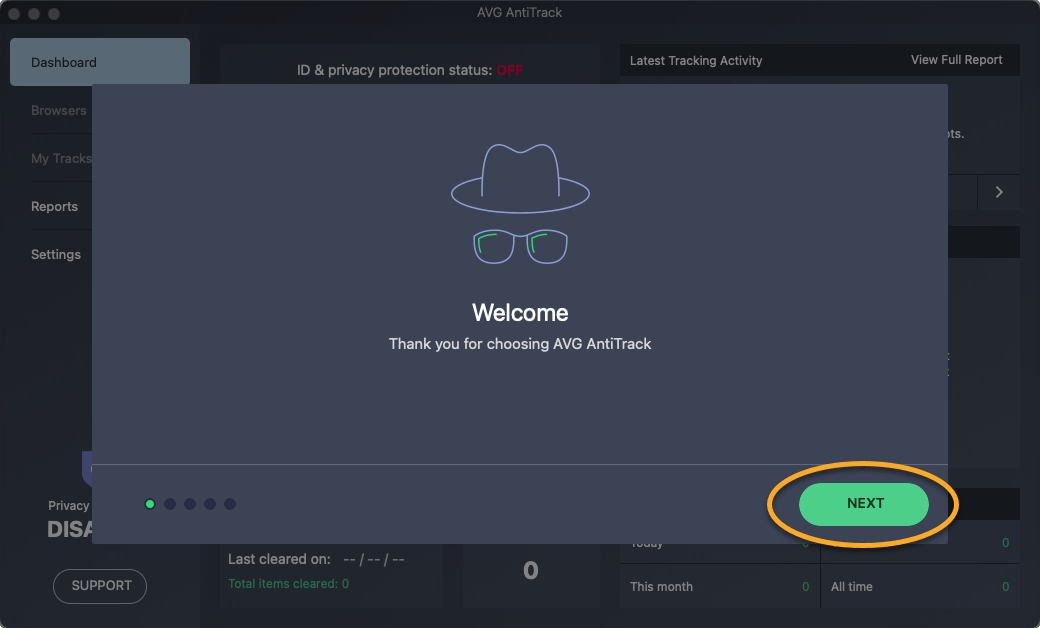
- Open AVG AntiTrack and review the Welcome tutorial by clicking Next.
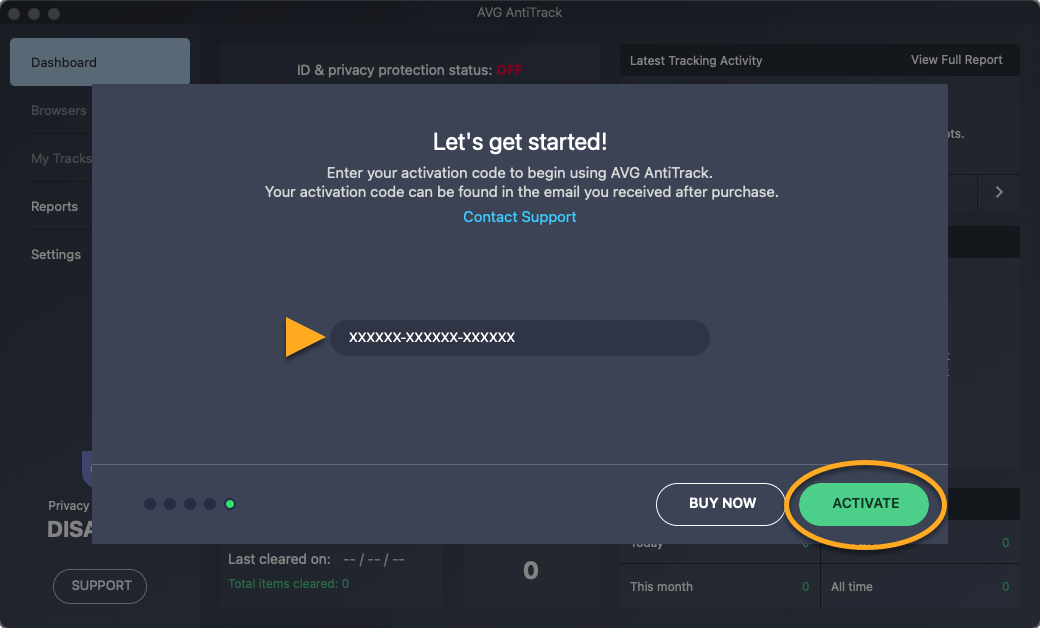
- When the Let's get started! screen appears, type or paste your activation code (including hyphens), then click Activate.
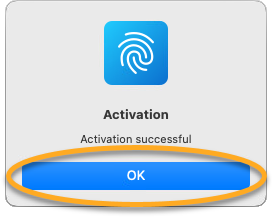
- When the message Activation successful appears, click OK to close the dialog.
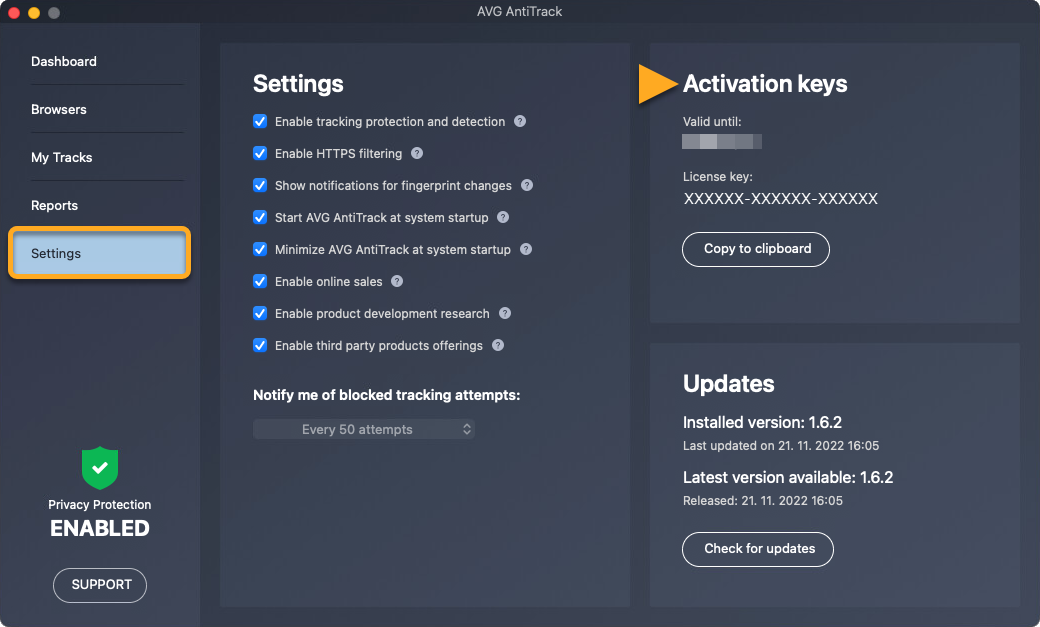
AVG AntiTrack is now active.
Troubleshooting
In some cases, subscription synchronization may take up to 24 hours after purchase. If your subscription is still not active after this time, try these possible solutions:
- Use your AVG Account to retrieve a copy of your activation code to exclude the possibility that the issue is caused by the activation code. For detailed instructions on how to find an activation code via your AVG Account, refer to the following article:
- If you see an error message during activation, refer to the following article for advice:
- Completely uninstall and then reinstall AVG AntiTrack. This can resolve issues that are caused by incorrect configuration or corrupted files. We recommend following the exact steps in the articles linked below:
- After reinstallation, try activating your subscription.
If you are still unable to activate your subscription, you can optionally click the link below to open the AVG Technical Support form. After you submit the request, an AVG Support agent will contact you to help resolve the issue.
Further recommendations
To learn more about AVG AntiTrack, refer to the following articles:
For instructions to transfer your subscription from one device to another, refer to the following article:
- AVG AntiTrack
- Windows and macOS