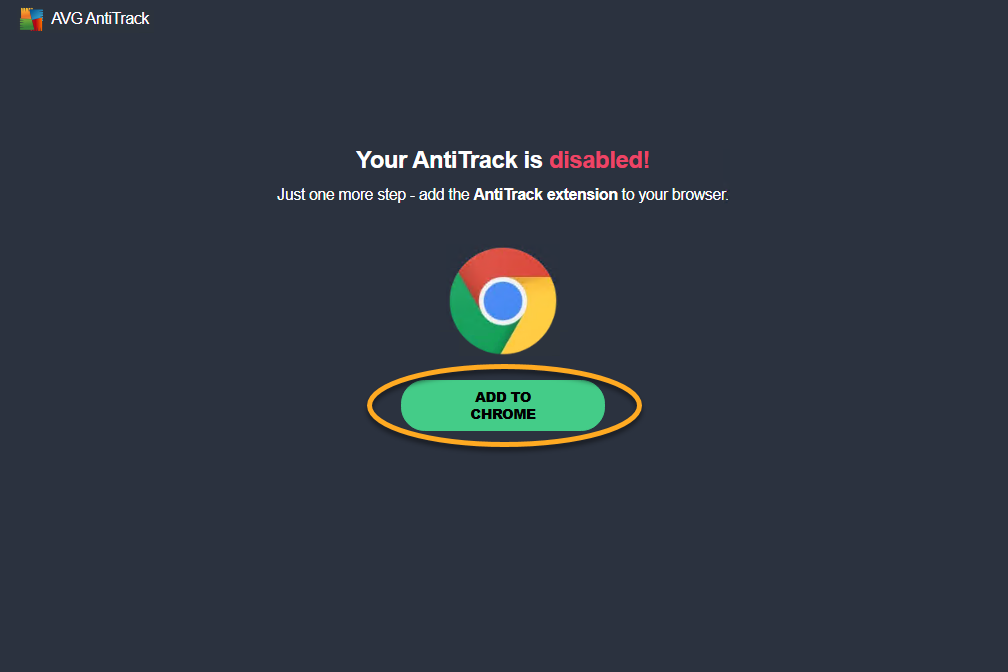
After you install AVG AntiTrack, you are prompted to set up the AVG AntiTrack browser extensions. Follow the steps in this article to add the extension through the Let's get started! intro screen:
Install AVG AntiTrack extensions
- Click Add to Chrome to install the AVG AntiTrack extension on your Chrome browser.

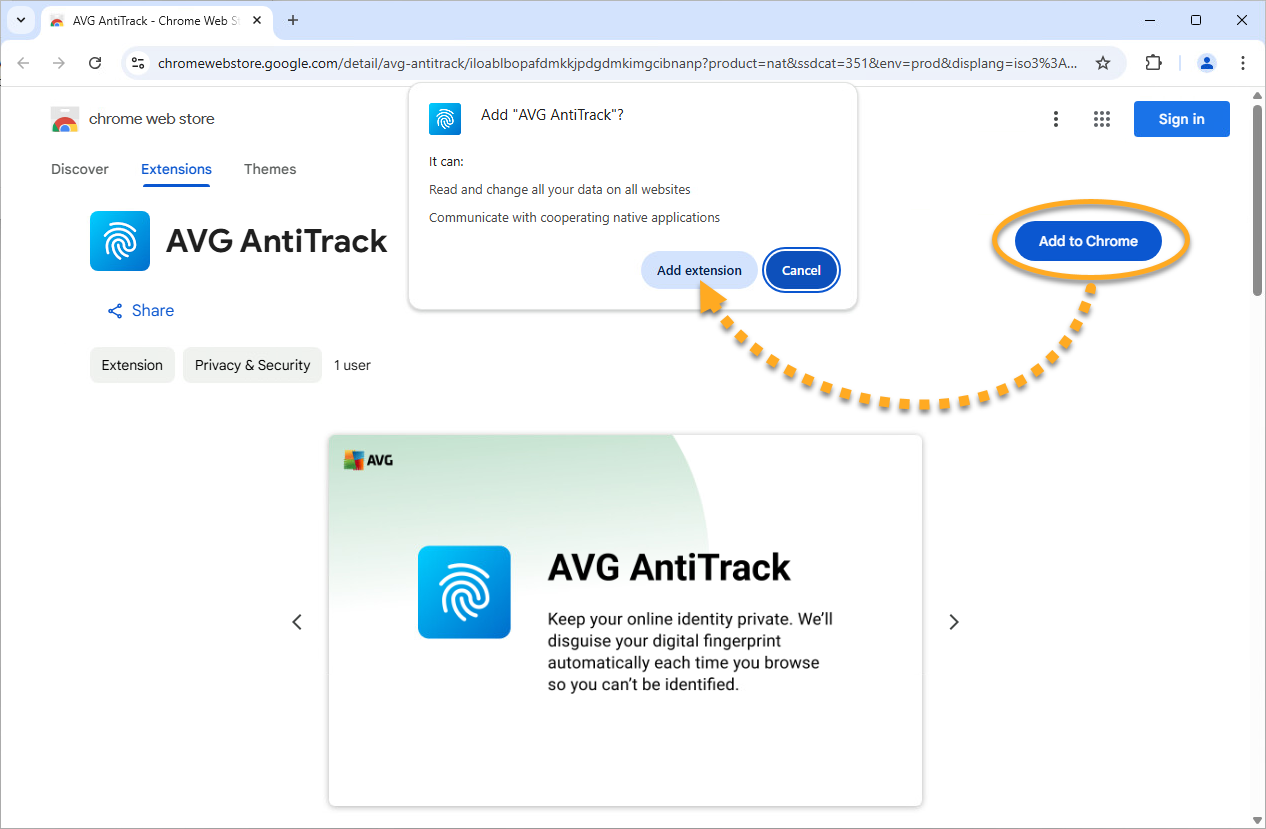
- On the Chrome web store page, select Add to Chrome ▸ Add extension.
- Click Extensions ▸ Pin next to AVG AntiTrack to pin the extension to your browser toolbar, then click Done.
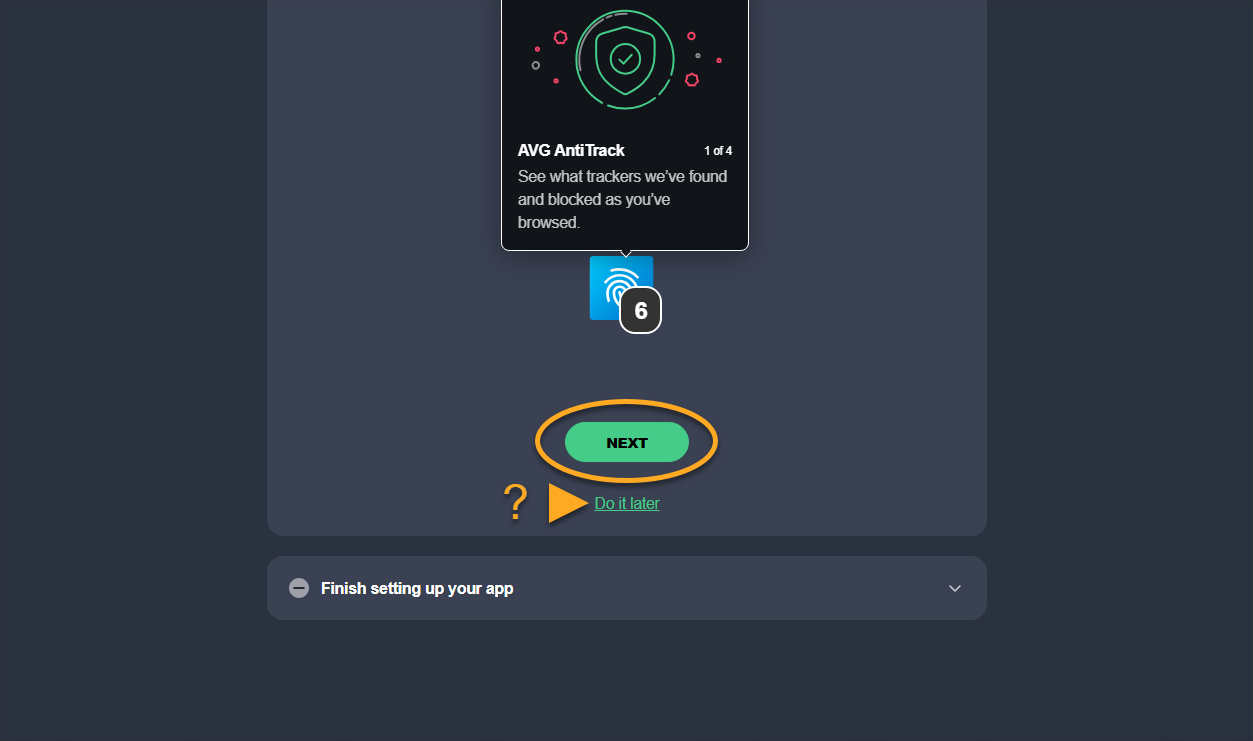
- Click Next to read through the welcome pages. Optionally, click Do it later to skip this step.
- Click Launch AntiTrack app.
 Extensions ▸
  Pin next to AVG AntiTrack to pin the extension to your browser toolbar, then click Done.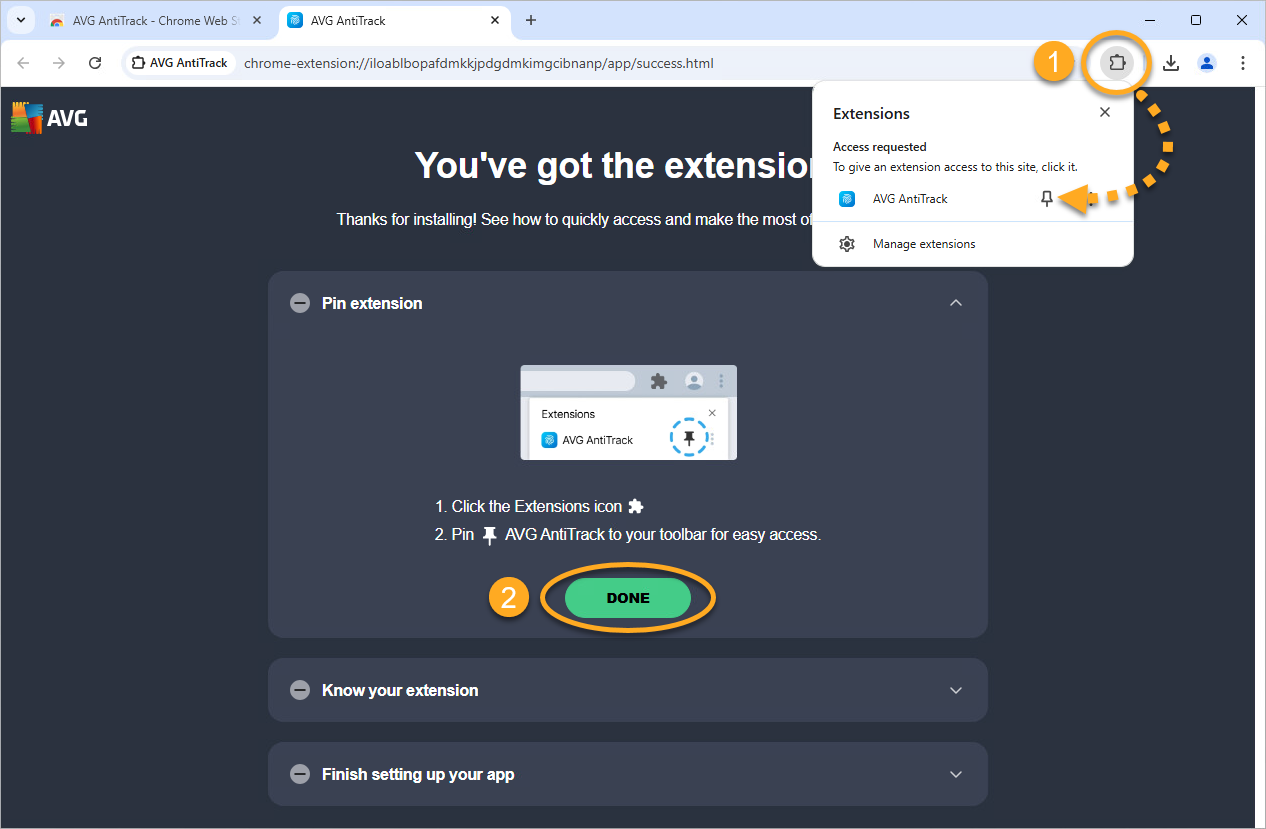
The AVG AntiTrack extension is now installed on your Google Chrome browser. Click Get started to proceed to the main AVG AntiTrack menu, or select a different browser to add the extension to.
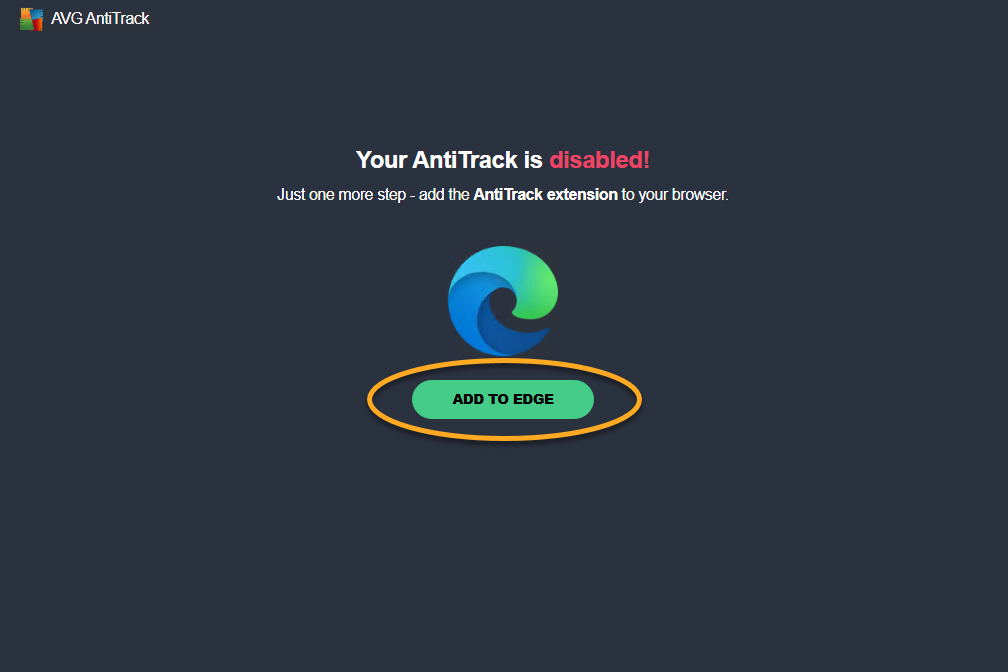
- Click Add to Edge to install the AVG AntiTrack extension on your Edge browser.
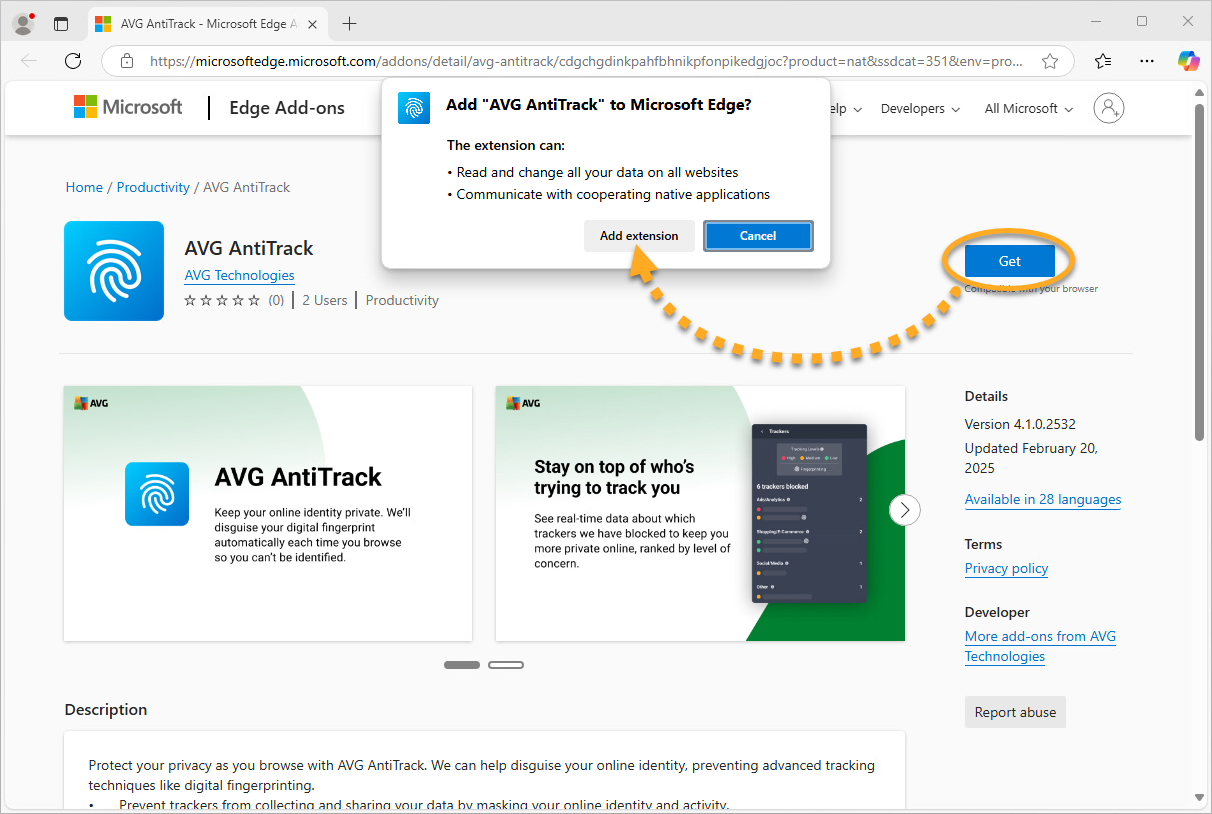
- On the Edge Add-ons page, select Get ▸ Add extension.
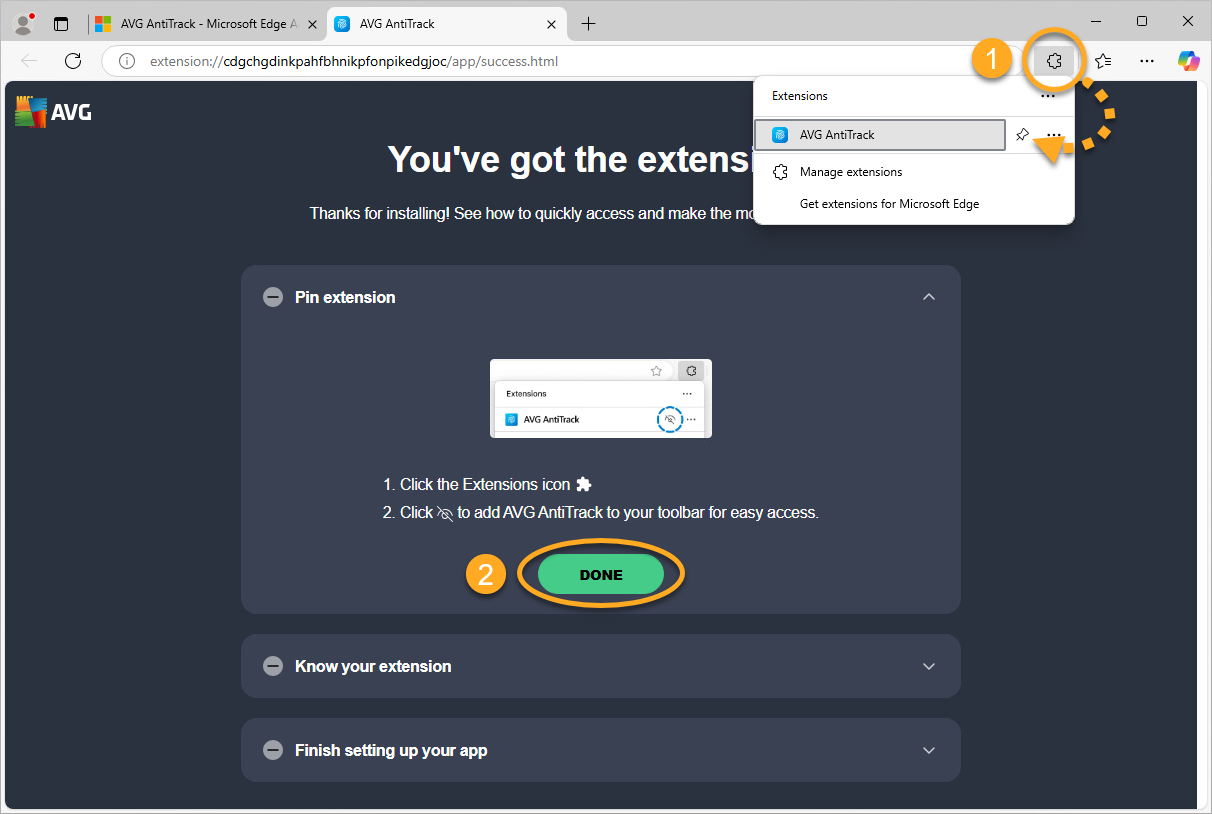
- Click Extensions ▸ Pin next to AVG AntiTrack to pin the extension to your browser toolbar, then click Done.
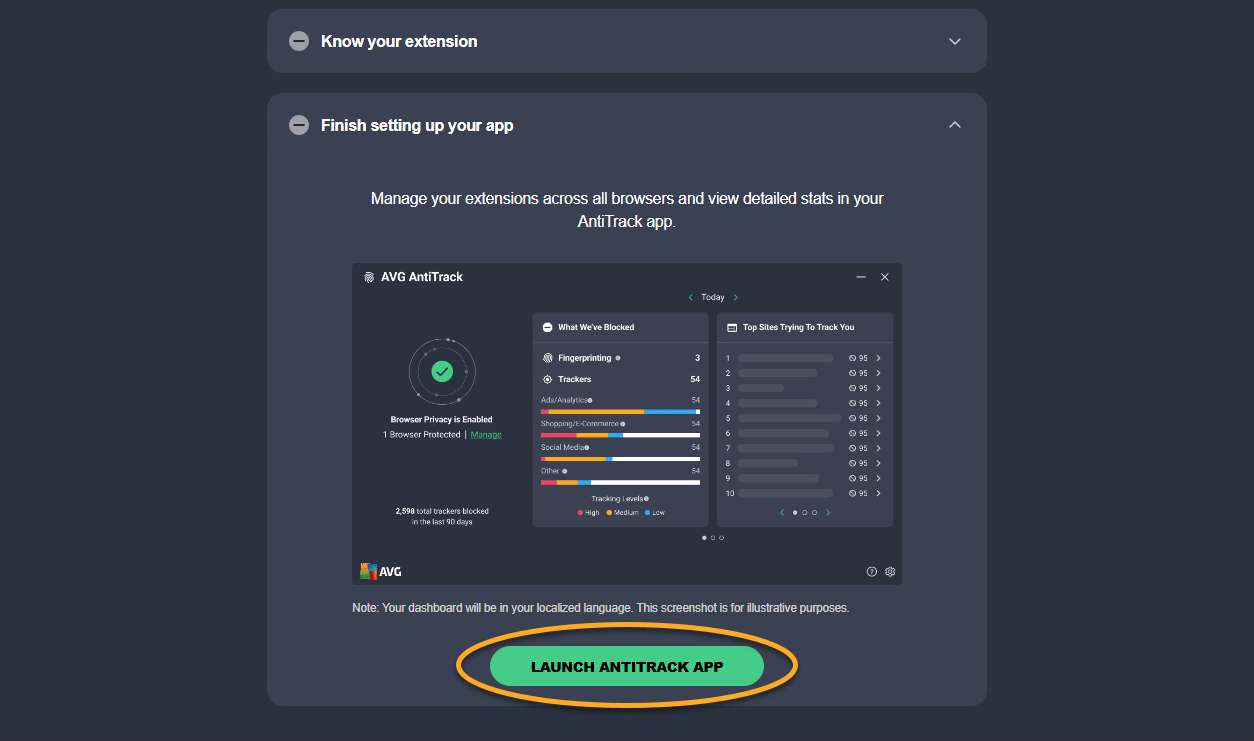
- Click Next to read through the welcome pages. Optionally, click Do it later to skip this step.
- Click Launch AntiTrack app.
The AVG AntiTrack extension is now installed on your Microsoft Edge browser. Click Get started to proceed to the main AVG AntiTrack menu, or select a different browser to add the extension to.
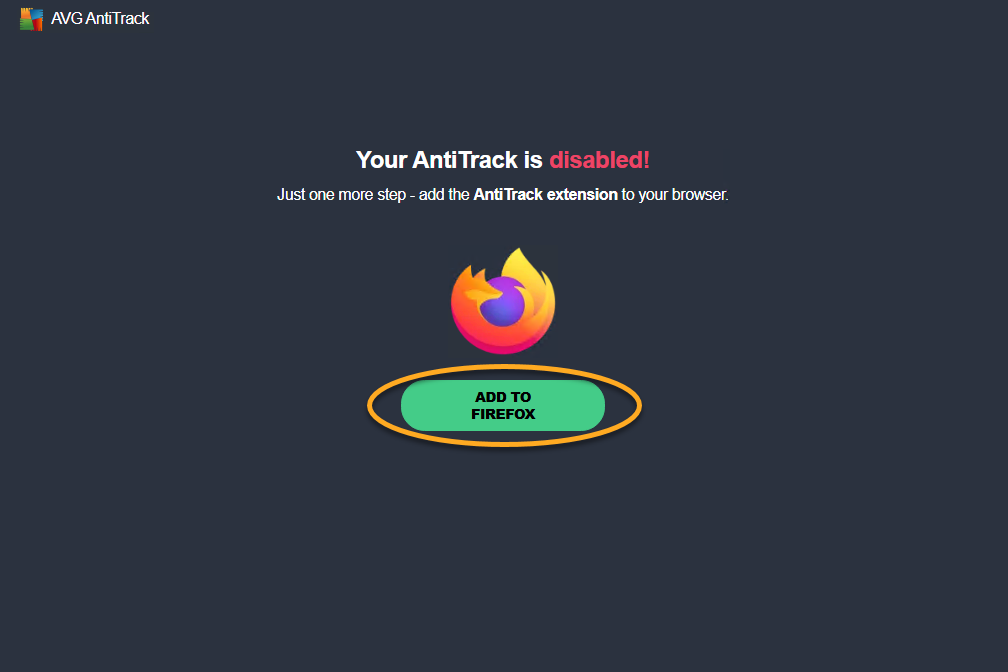
- Click Add to Firefox to install the AVG AntiTrack extension on your Mozilla Firefox browser.
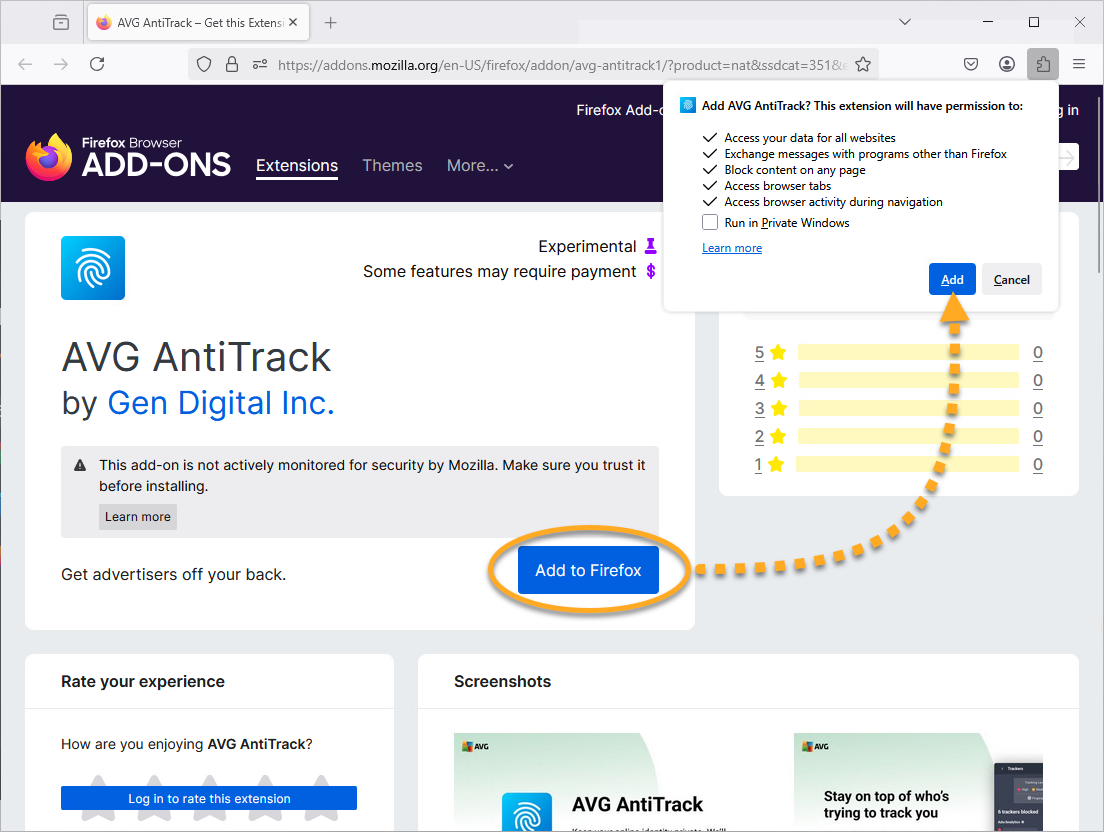
- On the Mozilla Firefox Add-ons page, select Add to Firefox ▸ Add.
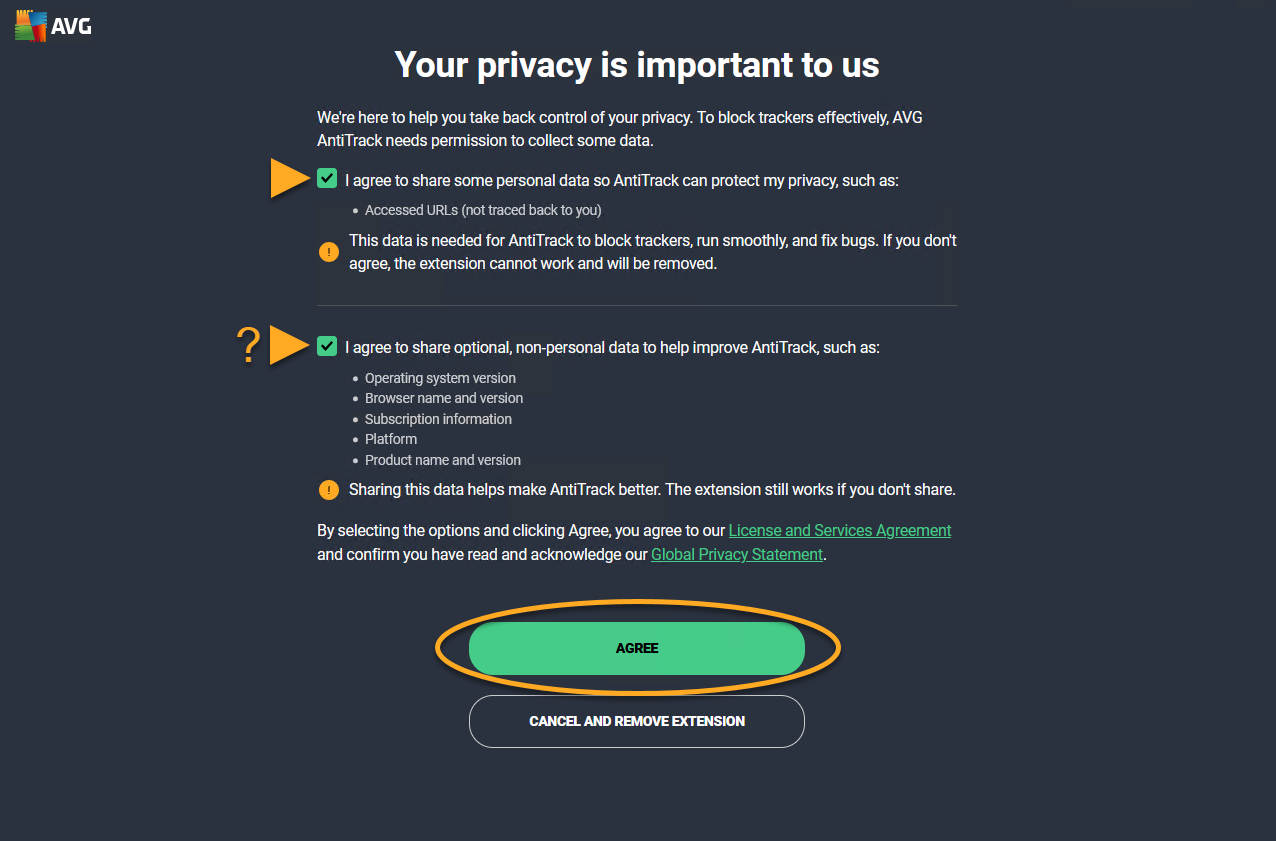
- Review the required and optional permissions, then click Agree to allow the extension to run in private windows.
- Click Extensions, then click Settings (the gear icon) next to AVG AntiTrack to pin the extension to your browser toolbar.
- Click Pin to Toolbar, then click Done.
- Click Next to read through the welcome pages. Optionally, click Do it later to skip this step.
- Click Launch AntiTrack app.
 Settings (the gear icon) next to AVG AntiTrack to pin the extension to your browser toolbar.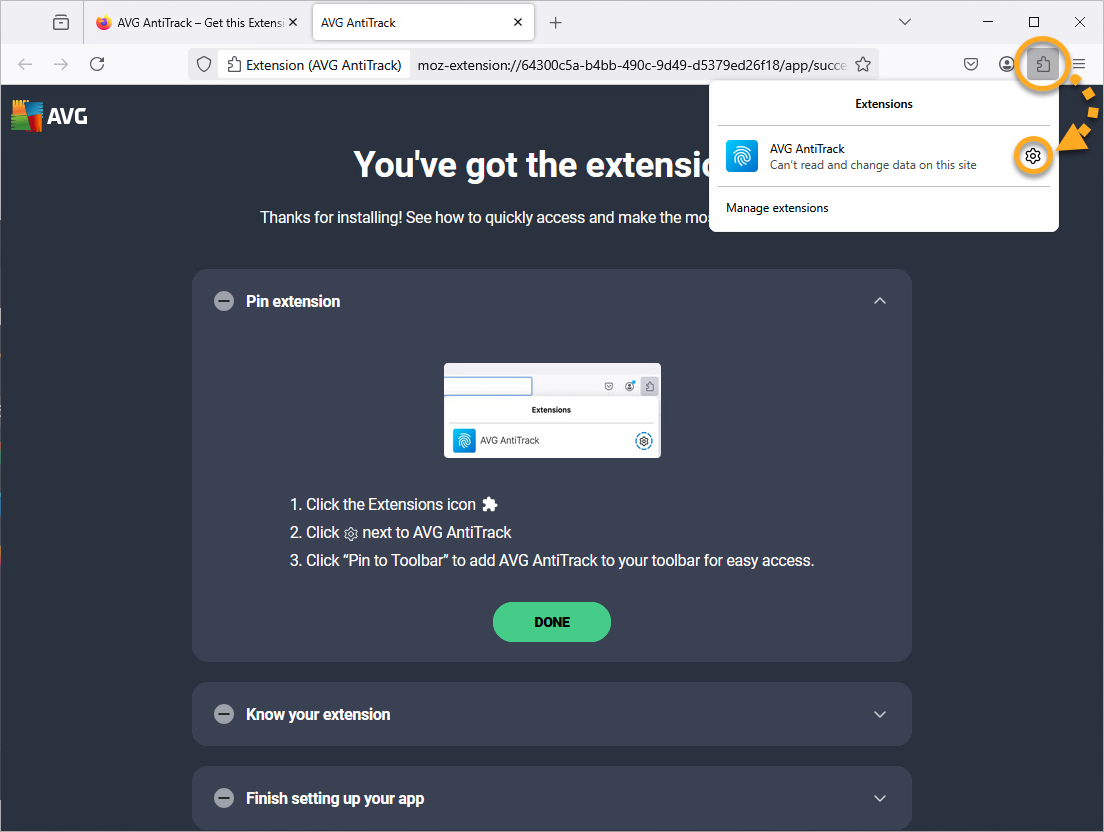
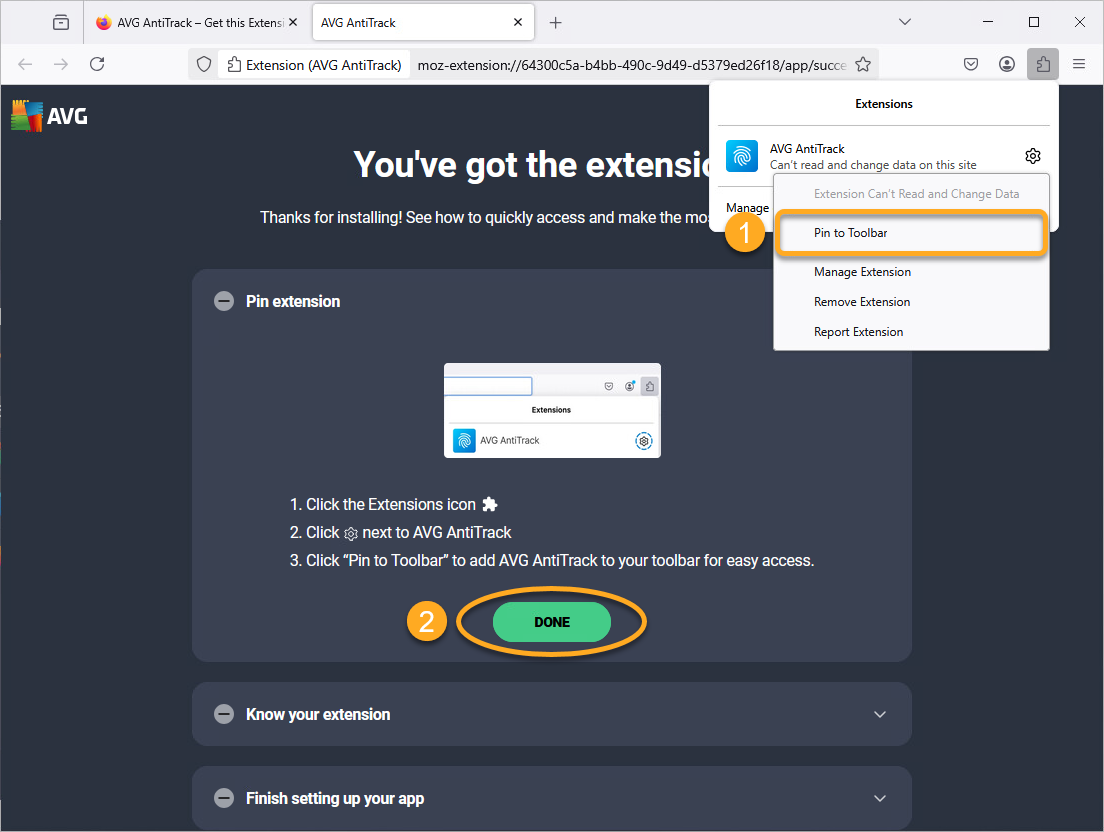
The AVG AntiTrack extension is now installed on your Mozilla Firefox browser. Click Get started to proceed to the main AVG AntiTrack menu, or select a different browser to add the extension to.
Install additional AVG AntiTrack extensions
You can install the AVG AntiTrack extension any time, even after the initial set-up. Follow the steps below to install the extension on your other browsers:
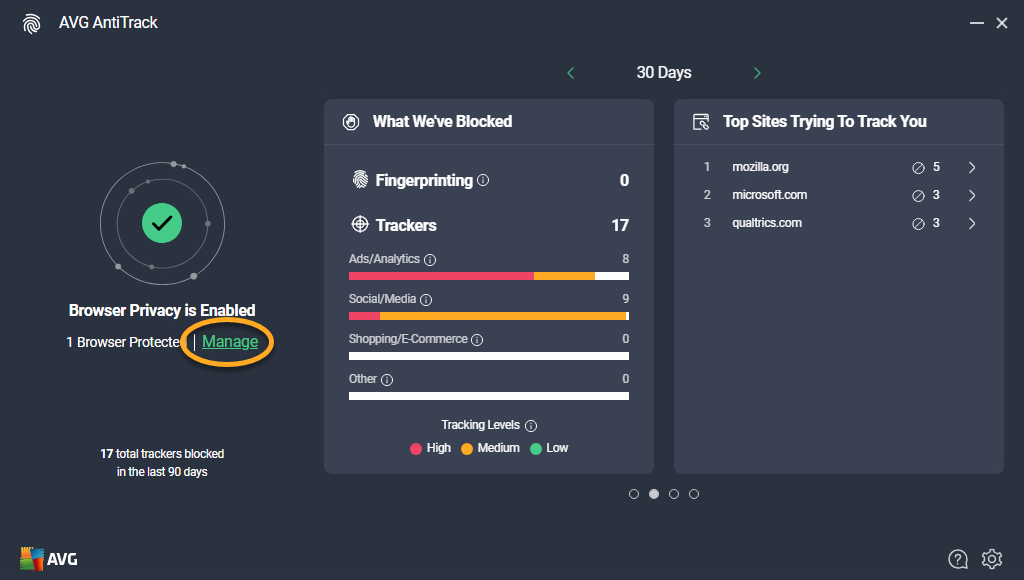
- Open AVG AntiTrack, and click Manage.
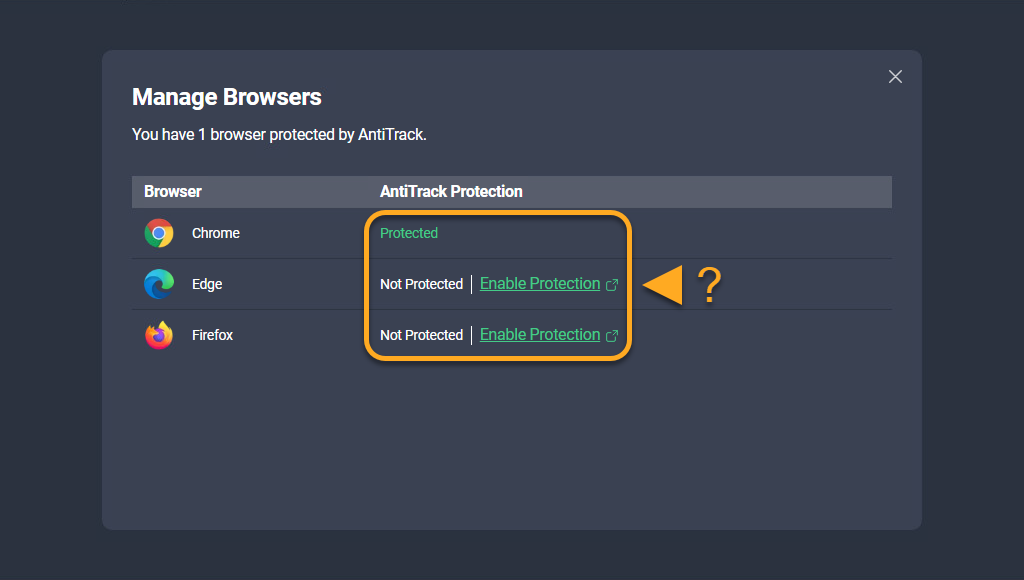
- On the Manage Browsers screen, click Enable Protection next to the browser of your choice. Then, refer to the steps above to install the AVG AntiTrack extension.
The AVG AntiTrack extension is now installed on your browser.
Troubleshooting
If AVG AntiTrack displays an incorrect extension status or if your extension shows that it is unable to communicate with the app, refer to the following article:
If you encounter issues with a website not working correctly due to tracker blockers, refer to the following article:
- AVG AntiTrack
- Windows